Your agents,
beautifully amplified.
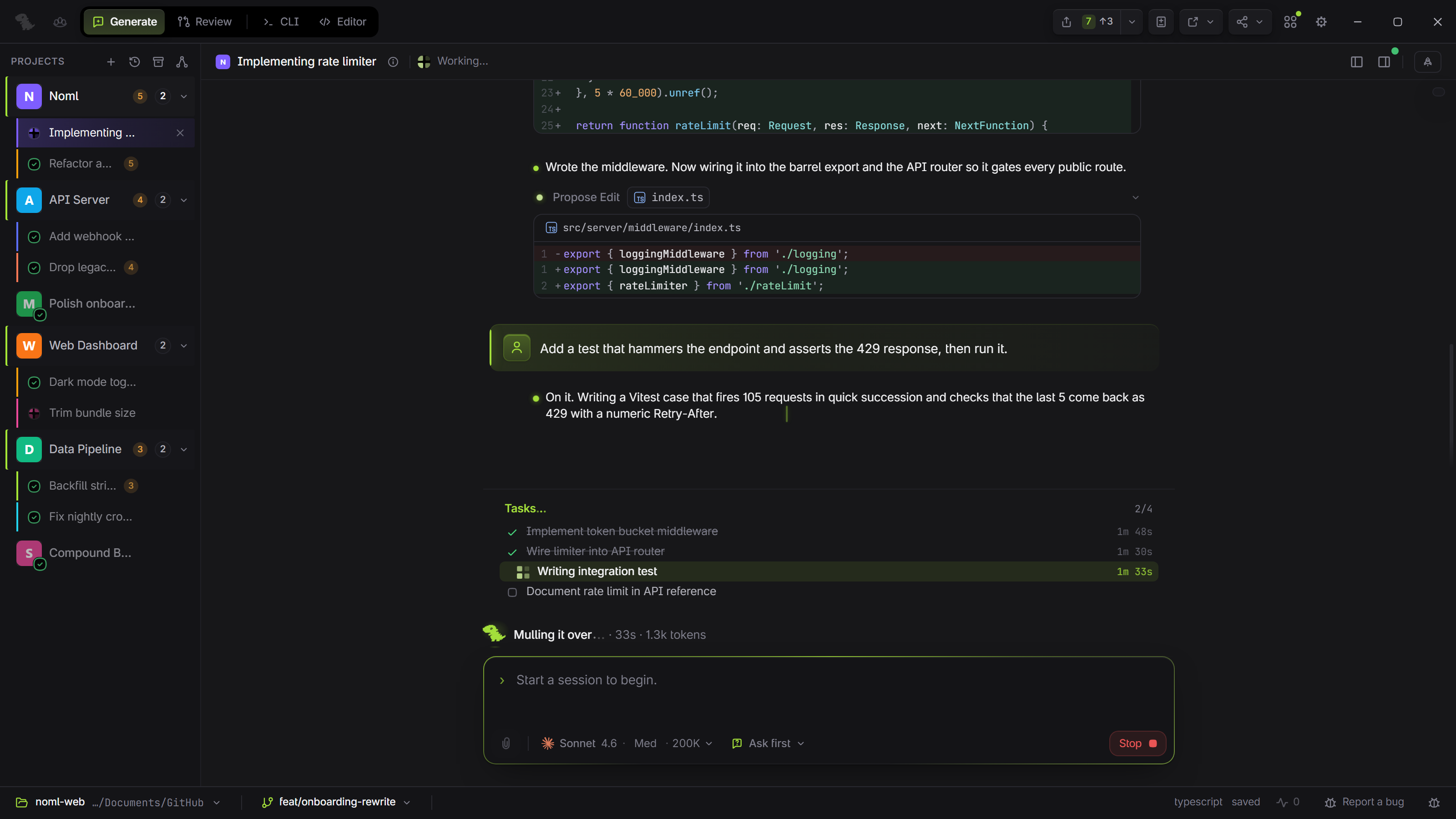
The most beautiful way to run coding agents. Agent, editor, terminal, git, and preview in one lightweight native window. No tool juggling.
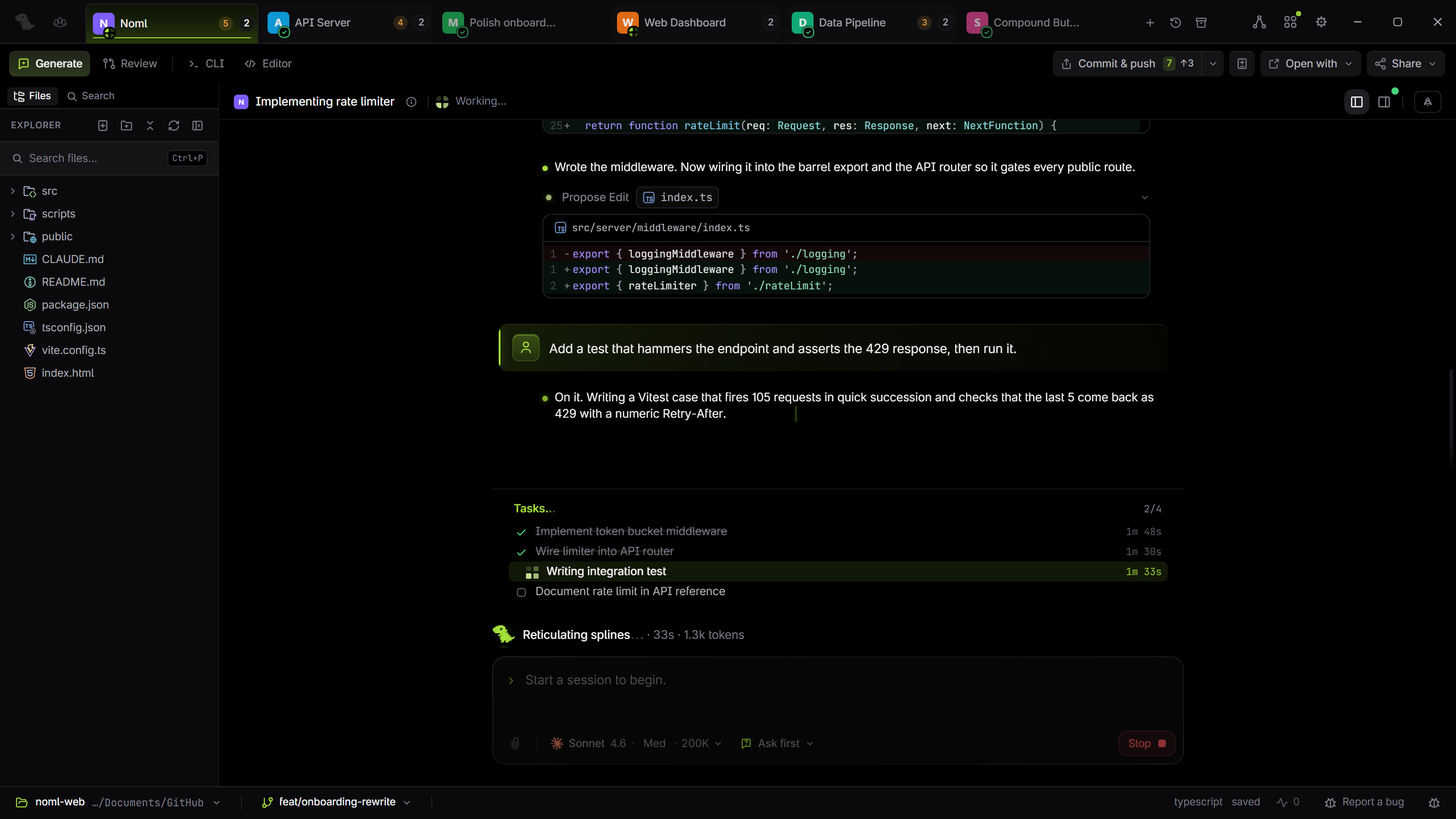
Out of the terminal.
Into your flow.
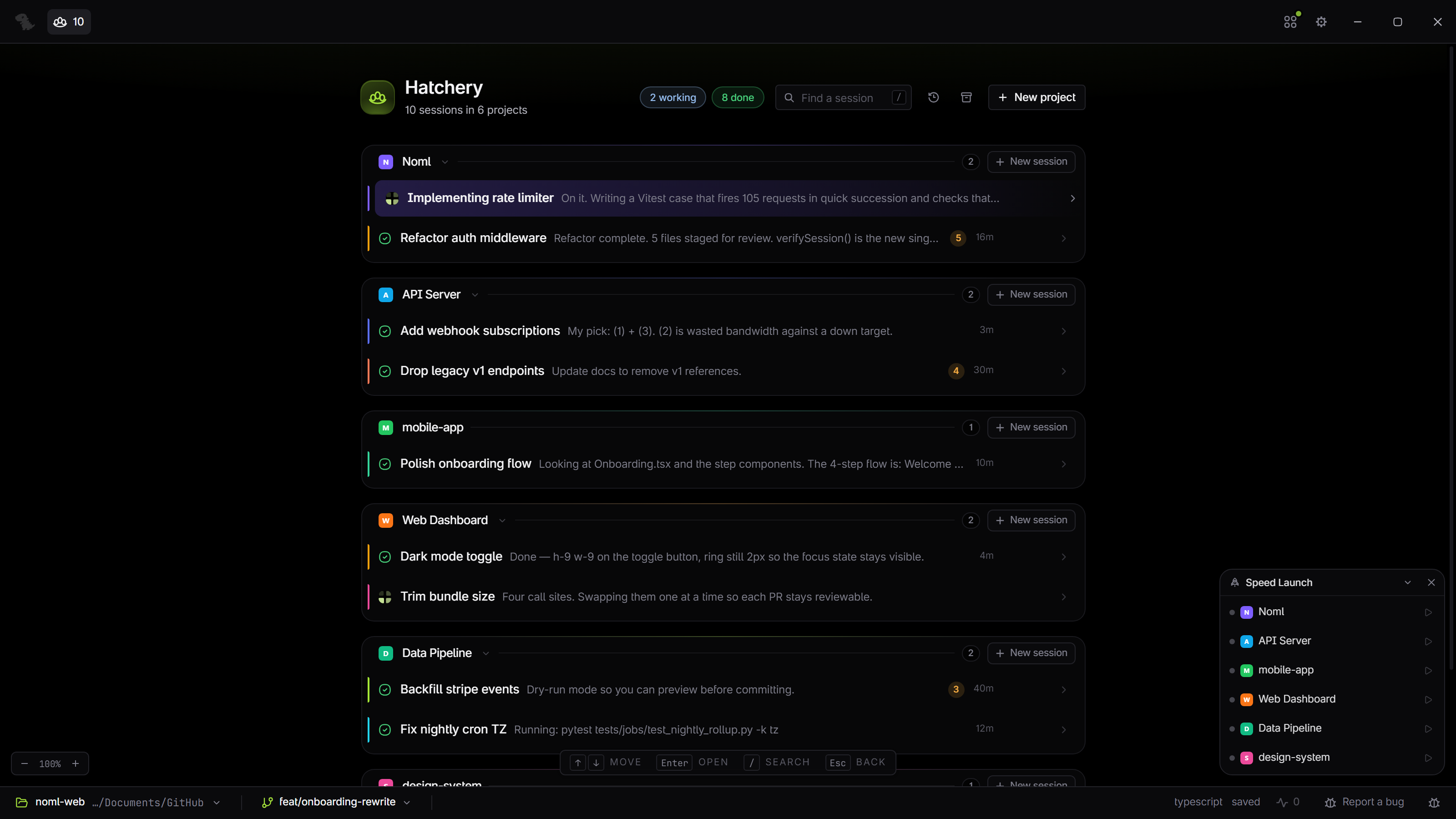
Every agent, one dashboard
Hatchery is the machine-wide home base for every Claude Code process you have running. Start work across projects, watch it all from one screen, and drop into any session the moment it needs you.
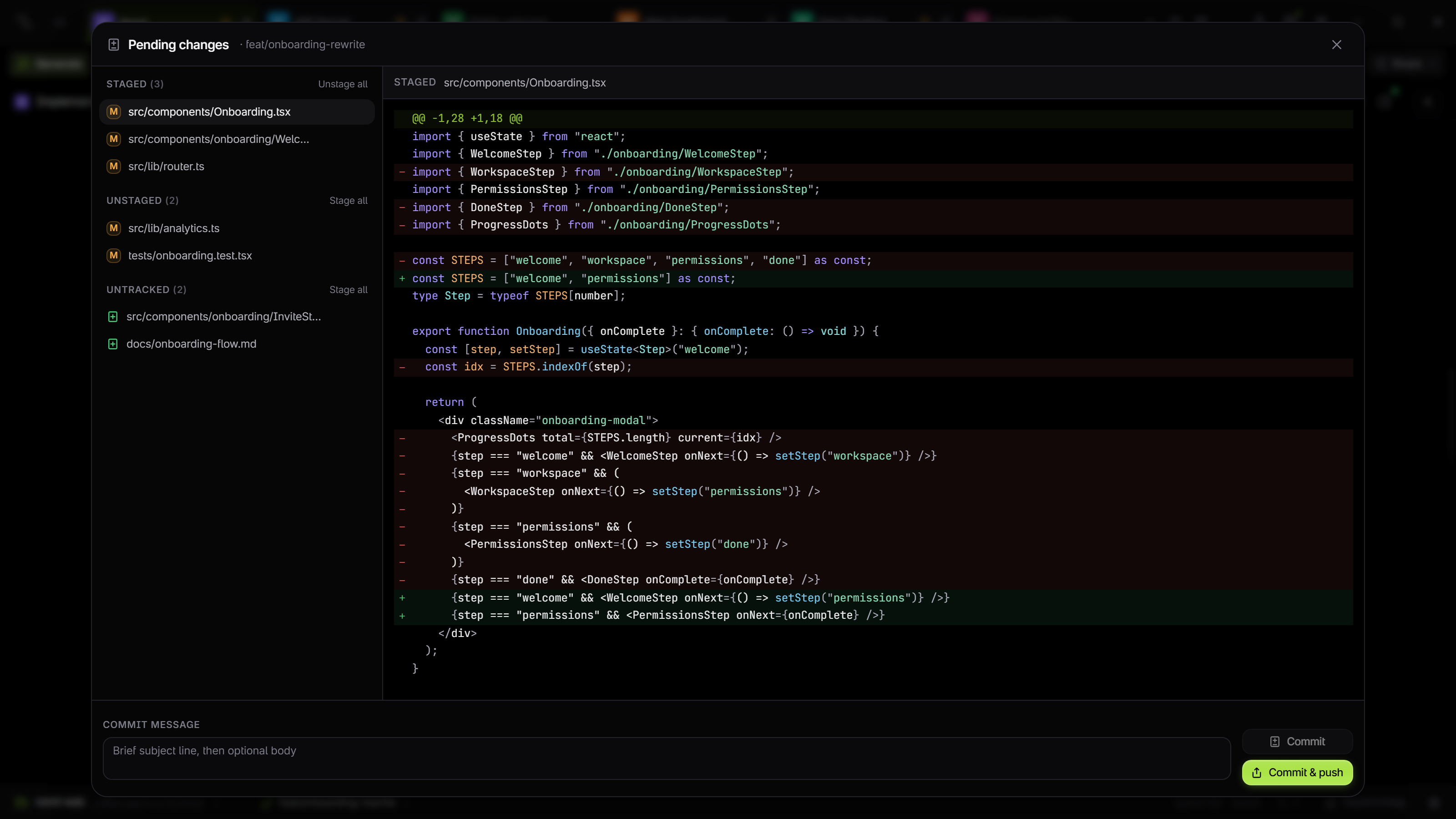
Source control, under the same roof
The whole git workflow sits beside your editor and chat. Stage and commit, branch and merge, push and pull, resolve conflicts in place, manage tags and walk history. Skip the separate git client and stay in one window.
Built around your workflow
A deep suite of customization options lets you shape every surface of the app. Tune what matters to you, ignore what doesn't, and Noml bends to your workflow instead of forcing you into one.
And the rest of the toolkit.
See all featuresIn ask-first mode, each edit lands as a reviewable diff with the model's reasoning. Accept or reject, one at a time or in batches.
Drives the local Claude Code install you already have. No new API key, no separate billing, no telemetry. Your code never leaves your machine.
Rust and Tauri 2, not Electron. Native window, native menus, about a fifth of the size with the same UI surface.
Pick your engine.
The agent is the engine. Noml is the layer around it: review pane, ledger, permissions, Hatchery, all wired into Claude Code and Codex. Any other agent CLI runs in the built-in terminal, same window. Bring the subscription you already pay for.
Claude Code
Anthropic's coding agent. Noml's launch driver.
Codex
OpenAI's coding agent, wired into the same native surface.
Gemini CLI, opencode, Cursor, or any interactive agent runs in Noml's terminal right now. Direct integration lands engine by engine.
Questions, answered.
Noml is a development ecosystem built around a free desktop workspace for coding agents, on macOS, Windows, and Linux. The core app puts a parallel-agent dashboard, PR-style change review, a code editor, terminal, and git in one native window; Claude Code and Codex are natively integrated. Around it, the Noml Suite adds companion apps like voice control and a phone remote, with more on the way.
The desktop app is free, with no account and no telemetry. You bring the agent subscription you already have, Claude, ChatGPT, or otherwise, so there is no new API key and no separate billing. The optional Noml Suite unlocks the companion apps: buy it once and own every current and future app, or take the monthly plan. See the pricing page for details.
Just Noml. The editor, terminal, and git work on their own. For the native agent experience, add the Claude Code or Codex CLI on your PATH, signed in with the account you already use; Noml drives your install and adds no separate login.
macOS on Apple Silicon, Windows, and Linux (x64 AppImage). All are native builds, not a packaged web app.
No. Noml runs locally and drives the agent CLIs installed on your machine, so your code never leaves it.
Yes. Run as many agent sessions as you like, in parallel and across projects, and jump into any one when it needs you.
Claude Code and Codex both wire into the native surface, with review, the change ledger, and permissions. Any other agent CLI runs in the built-in terminal, same window.
Pick your platform.
The editor, terminal, and git work out of the box. Add the Claude Code CLI on your PATH for the native agent experience; any other agent CLI runs in the terminal. WebView2 ships with Windows 11. macOS build is Apple Silicon only. Linux ships as an x64 AppImage.

